
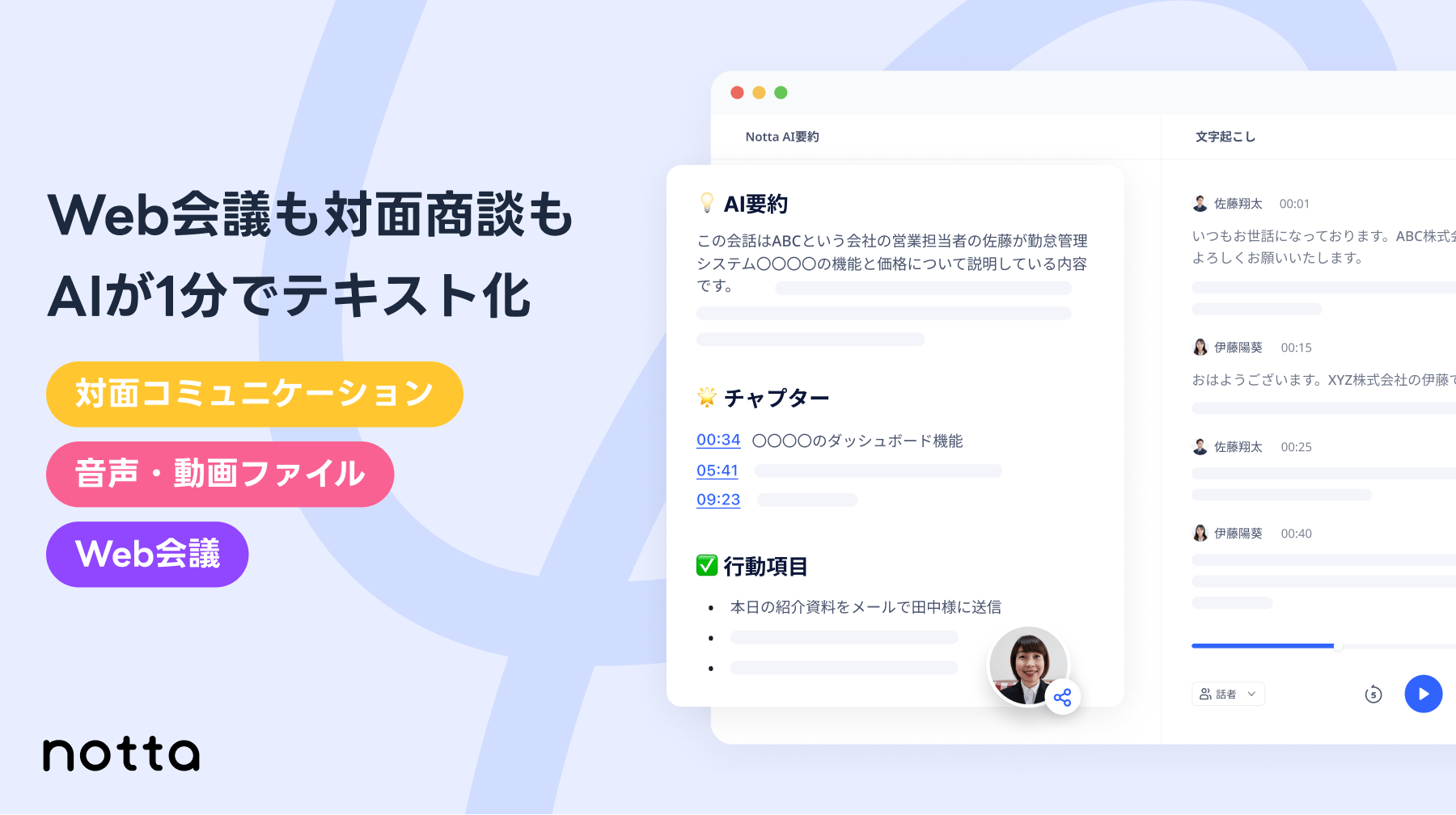
Notta is an AI-powered transcription service designed to streamline meeting note-taking and voice-to-text conversion. It leverages a state-of-the-art AI speech recognition engine to deliver highly accurate transcriptions quickly. Notta helps users save time and improve productivity by automating the transcription process.
Notta Key Features
Real-Time Transcription
Transcribe audio in real-time during meetings, lectures, or interviews. This feature provides immediate text output, enabling users to follow along and capture important information as it's being spoken.
AI Summary
Automatically generate summaries of transcriptions, highlighting key points and action items. This feature saves time by condensing long recordings into concise, actionable summaries.
Multi-Platform Support
Access Notta via web, desktop (Windows & Mac), iOS, Android, and Chrome extension. This ensures users can transcribe audio from anywhere, using their preferred device.
Audio File Transcription
Upload audio files in various formats (MP3, WAV, AAC, M4A) and quickly receive accurate transcriptions. Notta supports files up to 5 hours in length.
Collaboration Tools
Share transcriptions with colleagues, clients, or stakeholders for easy collaboration. Notta enables seamless sharing and collaborative editing of transcripts.
Editing and Proofreading
Easily edit and proofread transcriptions within the Notta platform. Correct errors, add speaker labels, and format the text to meet specific needs.
Translation
Translate transcriptions into multiple languages. Notta supports translation of over [Number] languages, facilitating communication across global teams.
Screen Recording
Record your screen and transcribe the audio simultaneously. This is perfect for creating tutorials, presentations, or documenting online meetings.
How Notta Works
Notta utilizes advanced AI speech recognition technology to analyze audio and convert it into text. Users simply upload an audio file, record audio directly within the platform, or integrate Notta with meeting platforms like Zoom and Google Meet. The AI engine then processes the audio, generating a transcription that can be reviewed, edited, and shared.
Notta Benefits
Time Savings
Reduce time spent on manual transcription by up to 90%. Notta automates the process, allowing users to focus on more important tasks.
Cost Efficiency
Eliminate the need for expensive transcription services. Notta offers a cost-effective solution for accurate and reliable transcriptions.
Improved Accuracy
Benefit from a high level of transcription accuracy, thanks to Notta's advanced AI speech recognition engine. Minimize errors and ensure the integrity of your transcripts.
Enhanced Collaboration
Facilitate teamwork with easy sharing and collaborative editing of transcriptions. Improve communication and ensure everyone is on the same page.
Increased Productivity
Streamline workflows and enhance productivity by automating the transcription process. Free up valuable time and resources for other tasks.
Notta Use Cases
Meetings
Automatically transcribe meeting discussions to create accurate and detailed meeting minutes. Improve meeting efficiency and ensure all key decisions are captured.
Interviews
Transcribe interviews quickly and easily, saving time on manual transcription. Simplify the process of analyzing and extracting insights from interviews.
Lectures
Capture lectures and presentations in text format, making it easier to review and study the material. Improve learning outcomes and enhance knowledge retention.
Podcasts
Transcribe podcast episodes to create show notes, improve accessibility, and generate content for social media. Expand your audience and increase engagement.
Research
Transcribe research interviews and focus group discussions to facilitate data analysis. Streamline the research process and improve the accuracy of findings.
Notta FAQs
What file formats does Notta support?
Notta supports a wide range of audio file formats, including MP3, WAV, AAC, and M4A.
Is Notta secure?
Yes, Notta employs robust security measures to protect user data, including encryption and compliance with industry standards like ISO 27001, SOC 2 Type II, HIPAA, GDPR, APPI, and CCPA.
Can I try Notta for free?
Notta offers a freemium plan with limited transcription minutes per month. Paid plans are available for users who require more transcription time and additional features.
Who Should Use Notta
Notta is ideal for professionals, students, researchers, journalists, podcasters, and anyone who needs to transcribe audio quickly and accurately. It is particularly beneficial for individuals and teams in business, education, media, and research industries who want to save time, improve productivity, and enhance collaboration.


