
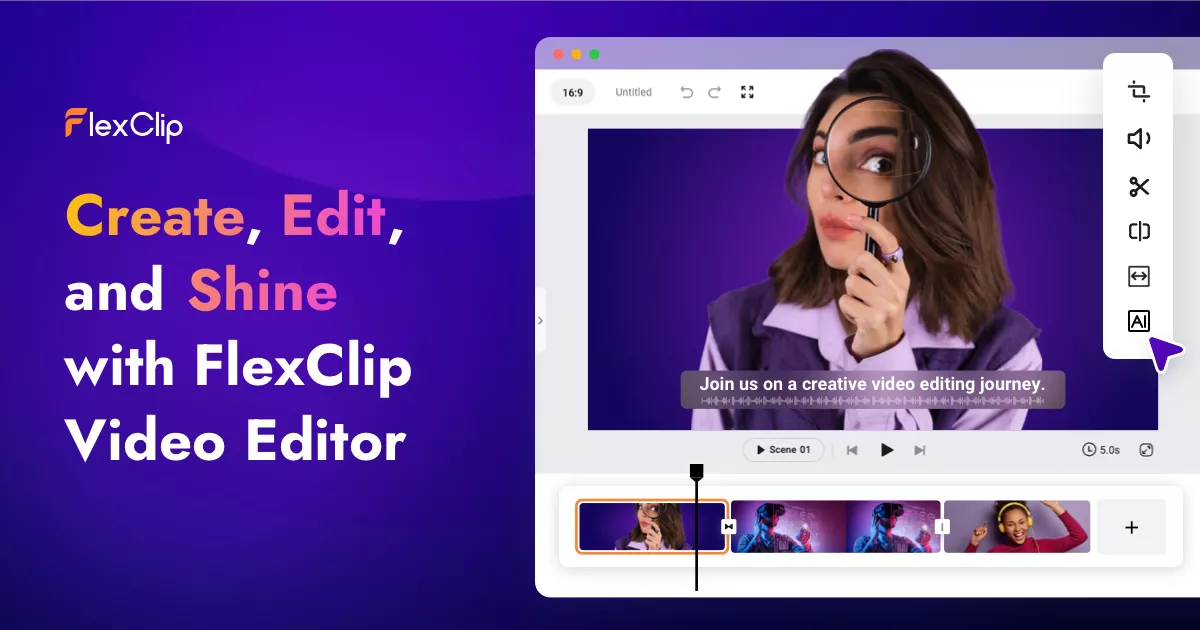
FlexClip is a versatile online video editor designed to empower anyone to create compelling videos without requiring advanced video editing skills. It offers a user-friendly interface and a rich library of templates, elements, and AI-powered tools, making video creation accessible to both beginners and experienced users. Whether you need to create marketing videos, social media content, educational videos, or personal projects, FlexClip provides the tools and resources to bring your vision to life.
FlexClip Key Features
Extensive Template Library
Access a wide range of professionally designed video templates covering various themes and industries, including business, marketing, social media, education, and personal use. Templates are fully customizable, allowing you to adapt them to your specific needs.
Rich Media Library
Enhance your videos with a vast collection of royalty-free stock footage, music tracks, photos, and animated elements. FlexClip integrates with leading stock media providers, ensuring high-quality resources.
AI-Powered Tools
Leverage AI-powered tools such as AI Video Generator, AI Text to Speech, AI Script Generator, AI Background Remover, AI Auto Subtitle Generator, and AI Translator to streamline your video creation process. These tools automate complex tasks and enhance efficiency.
Intuitive Editing Interface
Enjoy a drag-and-drop interface that simplifies video editing. Easily trim, merge, split, and arrange video clips, add text, transitions, animations, and effects.
Screen Recording
Record your screen and webcam simultaneously, ideal for creating tutorials, presentations, and product demos.
Customizable Text and Graphics
Add text overlays, captions, and titles with customizable fonts, colors, and animations. Enhance your videos with graphics, logos, and watermarks.
Audio Editing
Fine-tune your video's audio with tools for adjusting volume, adding background music, recording voiceovers, and syncing audio with video.
How FlexClip Works
FlexClip simplifies video creation through an intuitive workflow:
- Choose a Template or Start from Scratch: Select a pre-designed template or begin with a blank canvas.
- Add Media: Upload your own video clips, photos, and audio files, or choose from FlexClip's extensive media library.
- Edit and Customize: Use the drag-and-drop interface to trim, arrange, and enhance your media. Add text, transitions, animations, and effects.
- Enhance with AI Tools: Utilize AI-powered tools to automate tasks like generating subtitles, creating scripts, or removing backgrounds.
- Preview and Export: Preview your video to ensure it meets your expectations, then export it in various resolutions and formats.
FlexClip Benefits
Time Savings
Streamline video creation with pre-designed templates and AI-powered tools, reducing the time spent on editing and production.
Cost Efficiency
Create professional-quality videos without the need for expensive software or professional video editors. FlexClip offers a free plan and affordable subscription options.
Creative Control
Customize every aspect of your video with a wide range of editing tools, templates, and media assets, giving you complete creative control.
Ease of Use
The intuitive drag-and-drop interface makes video editing accessible to users of all skill levels, eliminating the learning curve associated with complex video editing software.
Versatility
Create a wide variety of videos for different purposes, including marketing, social media, education, and personal use.
FlexClip Use Cases
Marketing Videos
Create engaging promotional videos for your products or services to attract new customers and drive sales.
Social Media Content
Produce eye-catching videos for platforms like YouTube, Facebook, Instagram, and TikTok to increase brand awareness and engagement.
Educational Videos
Develop informative and engaging videos for online courses, tutorials, and training materials.
Personal Projects
Create memorable slideshows, travel videos, and family videos to preserve and share your special moments.
FlexClip FAQs
Is FlexClip really free to use?
Yes, FlexClip offers a free plan with limited features and export options. Paid plans provide access to more advanced features and higher resolution exports.
What video formats does FlexClip support?
FlexClip supports a wide range of video formats, including MP4, MOV, AVI, and more.
Can I add my own logo and branding to videos?
Yes, you can easily add your own logo, watermarks, and branding elements to your videos.
Does FlexClip offer customer support?
Yes, FlexClip provides customer support through email, online documentation, and tutorials.
Who Should Use FlexClip
FlexClip is ideal for marketers, small business owners, educators, social media managers, and individuals who need to create professional-quality videos quickly and easily. It's perfect for both beginners with no prior video editing experience and experienced users looking for a streamlined and efficient video creation tool.


